


Intelliculture is excited to share that you can now set up SMS alerts in AlertView so you catch them on the field.
Getting Started:
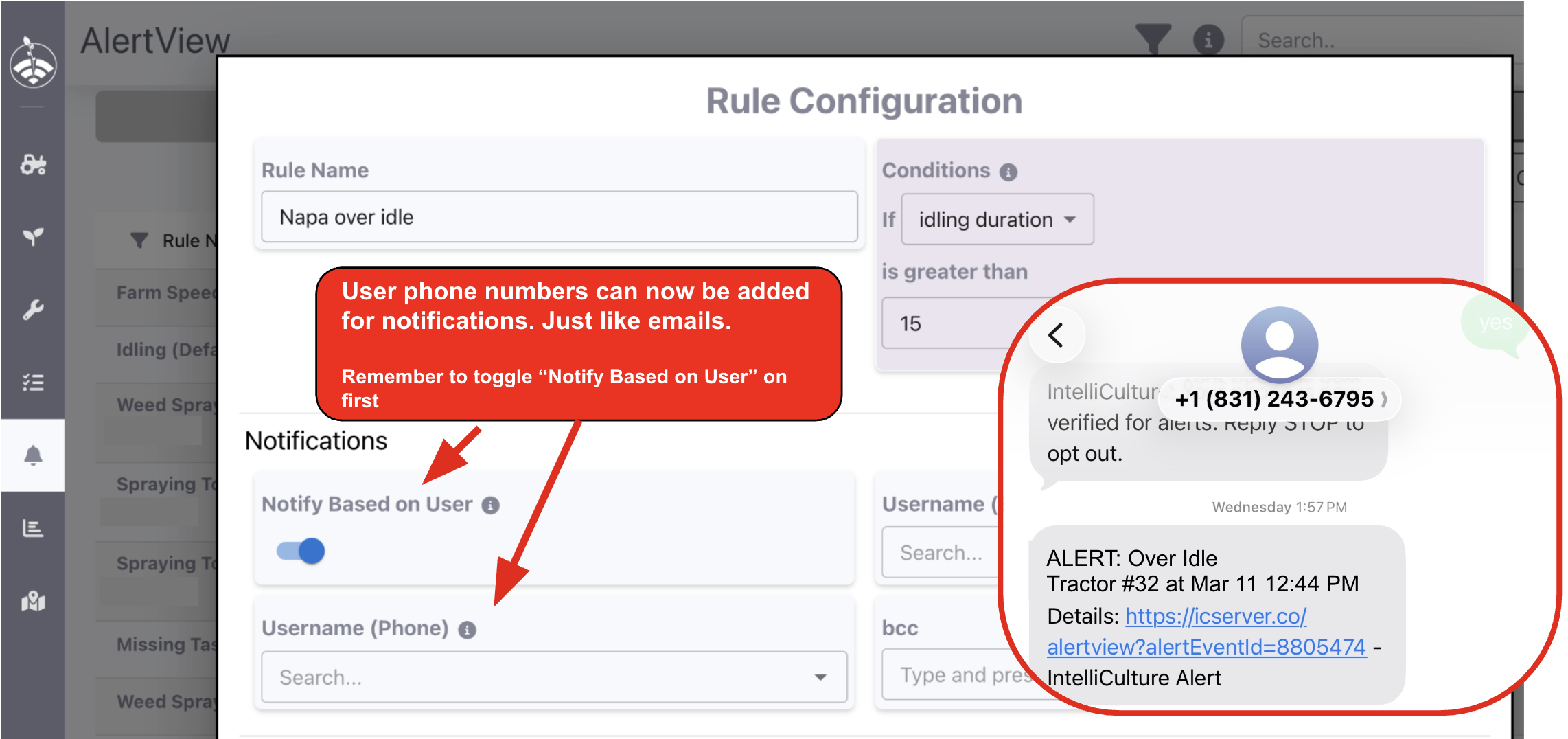
Just like setting up email notifications, you can do so with SMS in the rule configurations in AlertView. Each text includes an alert name, vehicle, and a link to see the full details.
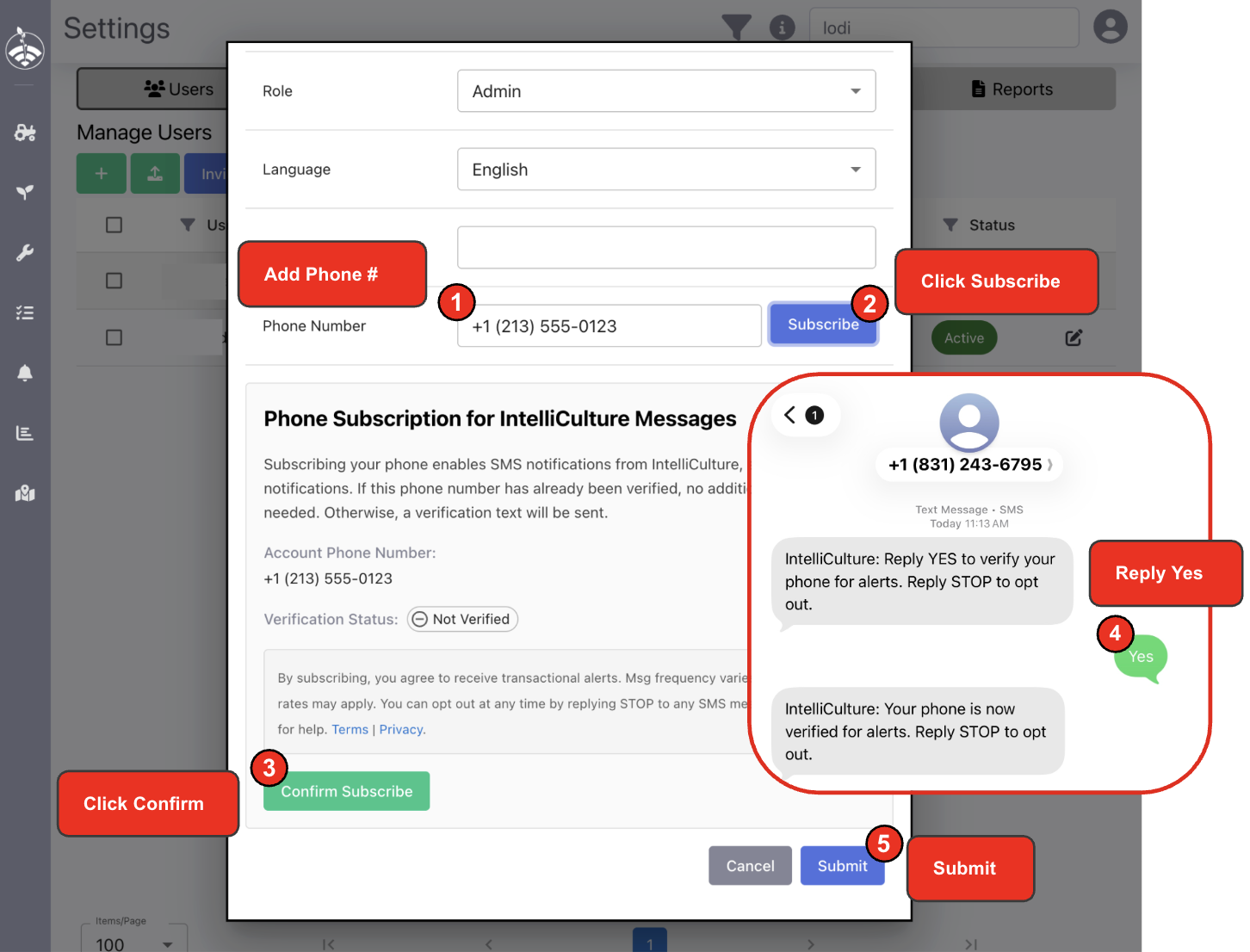
Admins will need to add phone numbers for users in User Settings and subscribe them as shown below. You'll receive a confirmation text - just reply YES to activate.
Reply STOP anytime to opt out, or START to turn them back on.
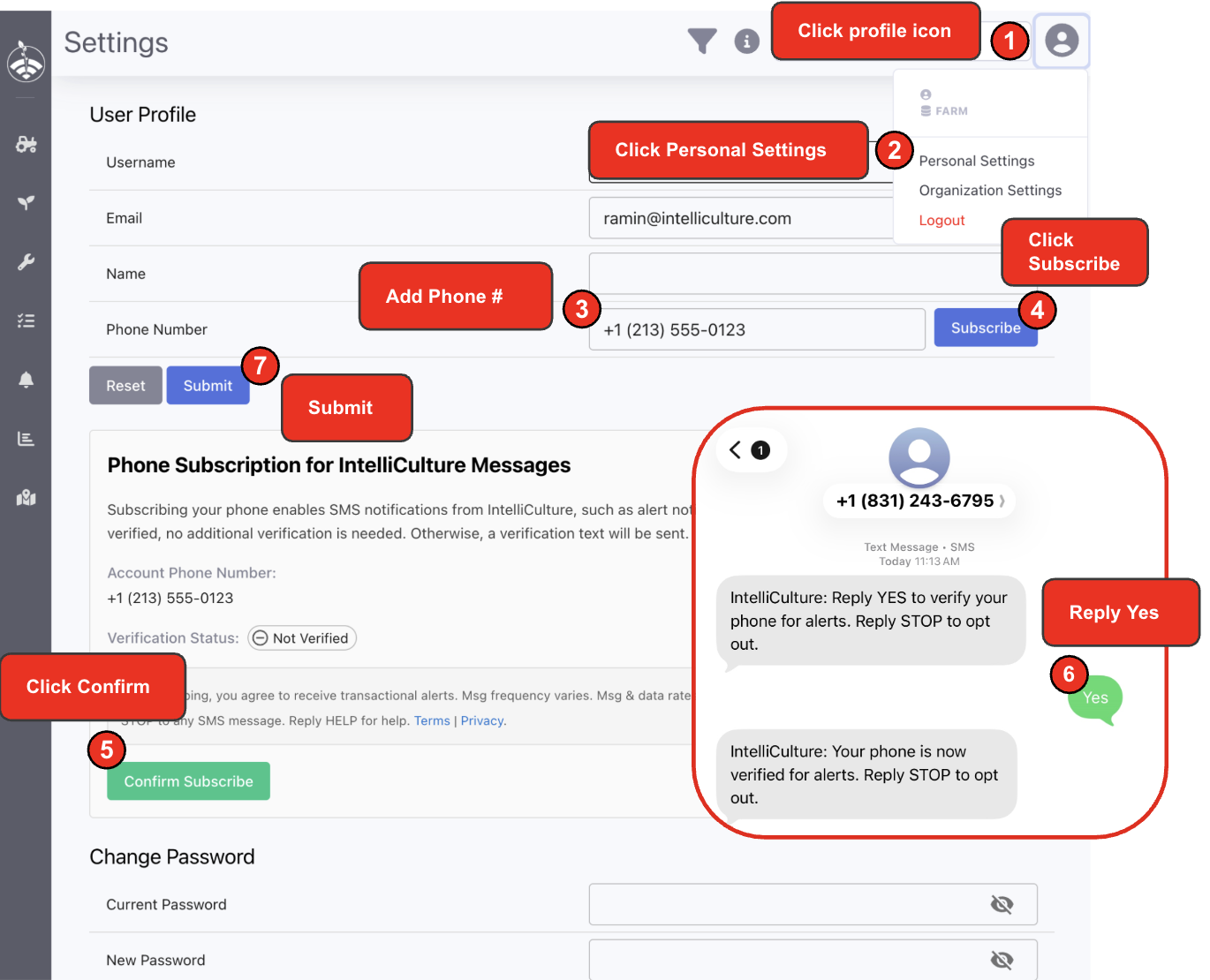
Non-admins can subscribe their own phone numbers via Personal Settings as well.
Many growers are using AlertView to catch unnecessary idles and missed inspections in real time. If you don't have any rules set up yet, reach out to your Customer Success rep to get started.